No special hardware.
It runs on what you own.
FoodFlow opens in a browser, so the tablet, phone or laptop already behind your counter is the till. No proprietary terminal, no per-device licence, and nothing to buy before you can take your first order.
If you would rather not source your own, we also sell an all-in-one touchscreen with a built-in receipt printer, set up and ready to sign in — shipping in Thailand first. It is a convenience, never a requirement.
- No terminal to buy
- Unlimited devices
- Works with your plan
Compatibility
You almost certainly already own everything you need.
FoodFlow is a website, not an app you install. If a device has a modern browser it can run the till, the kitchen screen and the reports — so the tablet behind your counter, the laptop in the office and the phone in your pocket are all valid terminals, today, at no extra cost. Buying hardware from us is a convenience, never a requirement.
Tablets
iPad · Android tablet · Fire tablet
The usual choice for the counter and the floor. Big enough for the table plan, cheap enough to have a spare.
Phones
iPhone · Android
Take orders at the table, clock in and out, check today's takings from anywhere. Guests use their own phone for QR ordering — no app.
Laptops & desktops
Windows · macOS · Linux · ChromeOS
The full product, and the easiest place to attach a receipt printer and cash drawer.
Any spare screen
Old monitor · TV · secondhand tablet
Kitchen display, customer-facing screen, or the pickup board — a browser pointed at a link is all each one needs.
What needs what
| Feature | Where it works |
|---|---|
| Point of sale, kitchen display, reports, QR ordering | Any modern browser on any operating system — Chrome, Safari, Edge, Firefox. |
| Guest QR menu and ordering | Any phone browser. Guests install nothing and create no account. |
| Silent receipt & kitchen printing, cash-drawer kick | Chrome, Edge or another Chromium browser on Windows, macOS, Linux, ChromeOS or Android. It talks to the printer directly over USB or serial. |
| Printing on iPad, iPhone, Safari or Firefox | Works — through the browser's normal print dialog instead of silently. One extra tap per ticket. |
| Customer-facing second screen | Two displays on one machine. Chrome and Edge place it on the second screen automatically; elsewhere you drag the window across once. |
| Printers and drawers | Standard ESC/POS thermal printers over USB or serial, and any cash drawer that opens from the printer's kick port. |
One thing to plan around: FoodFlow needs a working internet connection. There is no offline mode that queues orders and syncs later, so if your connection is unreliable, keep mobile data on the device running the till.
Built for service
If you do want a counter, this is ours.
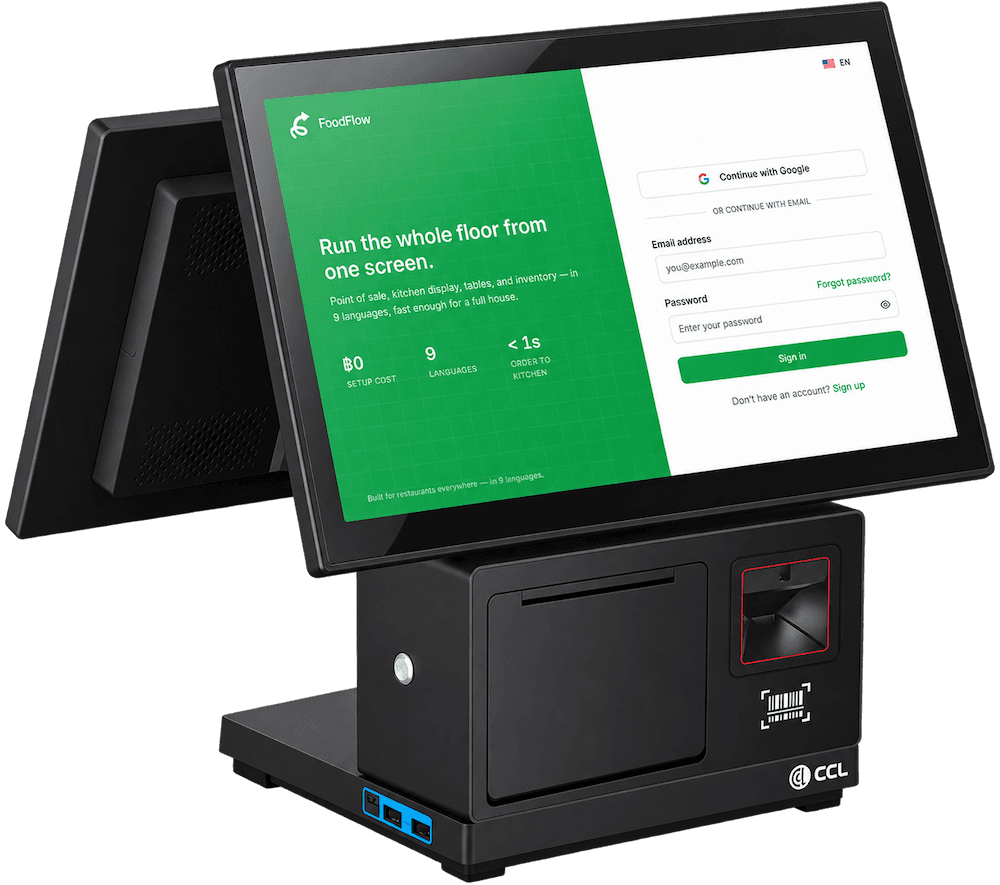
Two screens in one unit
Your till on the front, and the customer-facing display showing guests their order and total as you ring it up.
Printer and scanner built in
Thermal receipts and a barcode scanner in the base — no extra boxes, no extra cables.
Arrives ready to sign in
Set up with FoodFlow already installed. Power it on, sign in, take an order.
Works with everything else
Sits alongside the kitchen display, QR table ordering and any phones or tablets you already use.
Packages
Three ways to kit out your counter.
Full specifications and pricing are being finalised. Tell us about your shop and we'll reach out the moment packages open.
Counter
One all-in-one terminal with built-in printer — perfect for a single till.
Pricing on request
Ask about this packageCounter + Kitchen
The terminal plus a kitchen screen, connected out of the box.
Pricing on request
Ask about this packageFull house
Multiple stations, kitchen display, and QR table ordering for the whole floor.
Pricing on request
Ask about this packageContact
Talk to a human.
Questions about plans, a hardware package for your shop, a bug you hit, or anything else — send it here and we'll get back to you within a business day.
English & ไทย